Gaming Laptops vs MacBooks: The Ultimate Head-to-Head Comparison (2026 Guide)
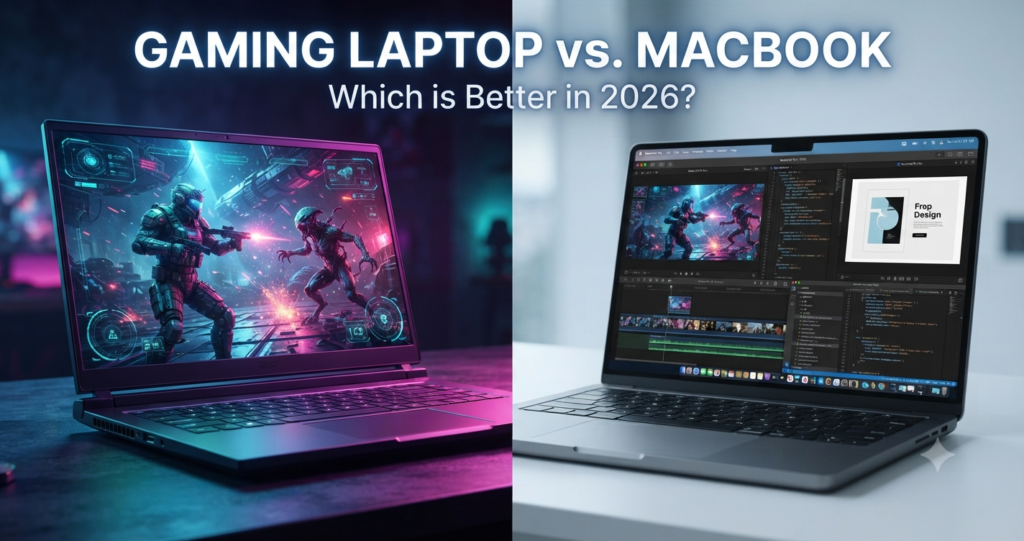
Choosing between a Windows gaming laptop and a MacBook is no longer just a brand decision. It represents two completely different philosophies of computing.
⚡ Quick Summary: Core Differences Matrix
| Key Feature | Gaming Laptops (Windows) | MacBooks (Apple Silicon) |
|---|---|---|
| Best For | Gaming, VR, 3D rendering, engineering software | Content creation, coding, study, travel |
| Game Library | Nearly 100% PC game support | Limited native support |
| Battery Life | 2–5 hours (light use), ~1 hour gaming | 15–22+ hours real-world usage |
| Performance on Battery | Drops significantly | Consistent performance |
| Fan Noise | Loud under load | Silent or near-silent |
| Upgradability | RAM & SSD often upgradeable | Not upgradeable |
Gaming Laptops vs MacBooks: Key Differences
Both systems deliver incredible performance values, but they are built upon fundamentally competing design workflows:
🎮 What is a Gaming Laptop?
A gaming laptop is a high-performance Windows computing machine built primarily for native AAA gaming, high-end 3D rendering pipelines, and intensive local compute workloads.
Looking for a gaming laptop? Browse current gaming laptop options and prices on Amazon.
Browse Gaming Laptops on Amazon →🍏 What is a MacBook?
A MacBook is Apple’s premium laptop hardware line engineered for computing productivity, creative work, and thermal efficiency through its system-on-chip architecture.
Prefer a MacBook? Browse current MacBook models and prices on Amazon.
Browse MacBooks on Amazon →Gaming Laptop vs MacBook Comparison Table
| Feature | Gaming Laptop | MacBook |
|---|---|---|
| Gaming & 3D Power | ⭐⭐⭐⭐⭐ | ⭐⭐ |
| Productivity Performance | ⭐⭐⭐⭐⭐ | ⭐⭐⭐⭐ |
| Battery Life | ⭐⭐ | ⭐⭐⭐⭐⭐ |
| Portability | ⭐⭐⭐ | ⭐⭐⭐⭐⭐ |
| Upgradeability | ⭐⭐⭐⭐⭐ | ⭐ |
| Software Ecosystem | ⭐⭐⭐ | ⭐⭐⭐⭐⭐ |
📱 Quick Takeaways
- Choose the Gaming Laptop for: Unmatched AAA gaming performance, easy component upgrades, and maximum raw graphics power.
- Choose the MacBook for: All-day battery life, ultimate portability, and highly optimized professional creation workflows.
🧠 Final Verdict: Which One Should You Buy?
🎮 Buy a Windows Gaming Laptop if:
- You primarily play graphic-intensive AAA or competitive online multiplayer games.
- You need maximum raw FPS hardware capability and dedicated GPU rendering technologies.
- Your software requirements rely on Windows-exclusive applications (e.g., SolidWorks).
- You prefer custom modifications, self-repair options, and part upgrades over time.
🍏 Buy an Apple MacBook if:
- You require long battery life (15+ hours) away from wall outlets.
- You value thin hardware designs, lightweight builds, and silent cooling operation.
- You are a student, software developer, digital creator, or creative professional.
- Your workflow is already integrated within the companion Apple hardware ecosystem.
Daily Usability, Lifespan & Value
Battery Efficiency
• Offers 15–22+ hours of long-lasting battery life.
• Delivers completely consistent performance when unplugged.
• Provides only 2–5 hours during light system usage.
• Drops heavily to ~1 hour under intense gaming loads.
• System performance drops significantly when unplugged.
Portability & Build Quality
• Features a premium aluminum unibody design.
• Highly portable, thin, and lightweight construction.
• Includes best-in-class trackpads and compact power chargers.
• Built with significantly heavier and bulkier materials.
• Requires much larger, brick-style power adapters.
• Engineering prioritizes raw performance over portability hardware.
Noise & Thermals
• Maintains quiet or completely silent hardware operation.
• MacBook Air form factors run entirely fanless.
• Generates high acoustic fan noise levels under processor strains.
• Requires aggressive, loud multi-fan internal cooling systems.
Upgradeability
• Built with fully soldered logic board components.
• No post-purchase RAM memory or SSD upgrades are possible.
• Allows for easy manual upgrades to internal system RAM.
• Offers common storage expansion through extra SSD slots.
• Provides much better overall long-term hardware flexibility.
Depreciation & Resale Value
• Retains financial market resale value exceptionally well over time.
• Supported by immense buyer demand across secondary used markets.
• Experiences rapid, aggressive hardware value depreciation curves.
• Value drops due to manufacturers releasing updated discrete GPUs every year.
🧠 Final Verdict: Which One Should You Buy?
🎮 Buy a Windows Gaming Laptop if:
- You primarily play graphic-intensive AAA or competitive online multiplayer games.
- You need maximum raw FPS hardware capability and dedicated GPU rendering technologies.
- Your software requirements rely on Windows-exclusive applications (e.g., SolidWorks).
- You prefer custom modifications, self-repair options, and part upgrades over time.
🍏 Buy an Apple MacBook if:
- You require long battery life (15+ hours) away from wall outlets.
- You value thin hardware designs, lightweight builds, and silent cooling operation.
- You are a student, software developer, digital creator, or creative professional.
- Your workflow is already integrated within the companion Apple hardware ecosystem.
Is a MacBook better than a gaming laptop in 2026?
A MacBook is superior for battery life, portability, and professional productivity, while a Windows gaming laptop is the clear choice for raw 3D graphics and AAA gaming performance.
If your daily workflow relies on rendering pipelines or local engineering software, stick to Windows. For coding, travel, and day-long battery endurance, Apple Silicon provides a better experience.
Can you game on a MacBook?
Yes, but with significant software limitations. While Apple Silicon chips feature incredibly powerful integrated graphics, most competitive multiplayer and AAA titles do not offer native macOS versions.
While translation layers like the Apple Game Porting Toolkit, Crossover, or Parallels allow you to run certain Windows games, they often require manual configuration and cannot bypass kernel-level anti-cheat software.
Which is better for students: MacBook or gaming laptop?
For the vast majority of students, a MacBook is the better investment due to its lightweight chassis, completely silent fan curves, and 15+ hours of real-world battery life during lectures. However, students majoring in engineering, game architecture, or data science should verify their course software requirements, as many mandatory academic tools run exclusively on Windows.
Why are gaming laptops better for gaming than MacBooks?
Gaming laptops are engineered with dedicated NVIDIA GeForce RTX or AMD Radeon GPUs paired with aggressive, multi-fan cooling systems designed to handle high thermal output. This architecture allows them to maintain sustained peak performance, support native ray tracing, utilize AI upscaling like DLSS, and drive ultra-smooth 240Hz+ high-refresh-rate displays.
Do MacBooks last longer than gaming laptops?
Yes. Thanks to the tight hardware-software optimization of Apple Silicon chips and exceptional premium build quality, MacBooks generally remain fast and responsive for more years.
Furthermore, they retain their secondary market resale value significantly better than gaming laptops, which face rapid hardware depreciation due to annual discrete GPU release cycles.
Which is better value for money: MacBook or gaming laptop?
Windows gaming laptops deliver the highest raw performance per dollar for intensive compute tasks, 3D modeling, and gaming. Conversely, MacBooks offer superior long-term lifestyle value, providing unmatched energy efficiency, premium trackpads and displays, and a hardware lifecycle that outlasts most budget competitors.