
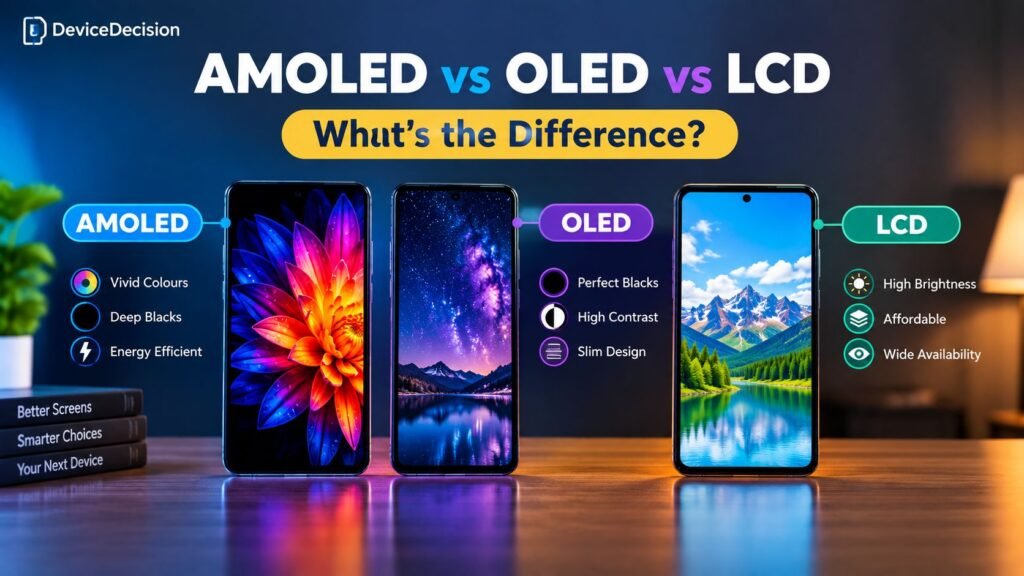
When shopping for a smartphone, television, laptop or monitor, you will often come across display terms such as AMOLED, OLED and LCD. They all describe screen technologies, but they work differently and offer different viewing experiences.
OLED displays are known for their deep blacks and high contrast, AMOLED is a type of OLED technology commonly used in smartphones, and LCD displays use a backlight to illuminate the screen. But which one should you choose?
In this guide, we explain AMOLED vs OLED vs LCD in simple terms, compare their picture quality, brightness, power consumption, lifespan and cost, and help you decide which display technology suits your needs.
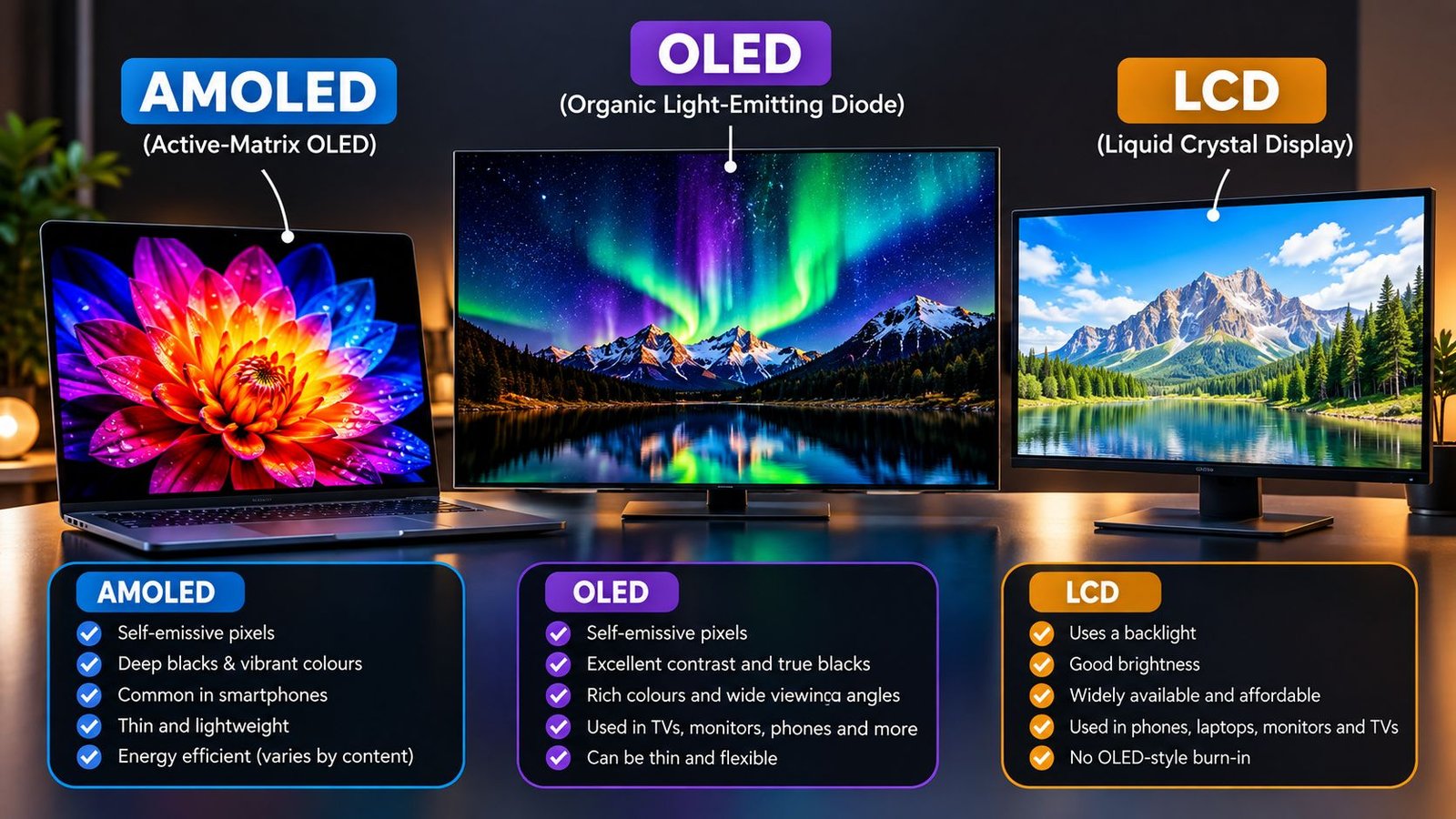
Quick Answer: AMOLED vs OLED vs LCD
AMOLED and OLED are generally associated with excellent contrast and deep blacks because their pixels can produce light individually. AMOLED is a type of OLED display technology.
LCD uses a backlight and can be a practical choice for budget devices, productivity screens and displays where value matters. Picture quality varies considerably by panel type, backlight and implementation.
Understanding Display Technologies
A display creates the images, text and videos you see on a screen. The biggest difference between OLED-based displays and LCDs is how they produce light.
In an OLED display, each pixel contains light-emitting material and can produce its own light. When a pixel needs to show black, it can turn off completely.
An LCD, or liquid crystal display, uses a separate backlight. Liquid crystals control how much of that light passes through colour filters to create an image. Because the backlight remains behind the panel, LCDs generally cannot switch off individual pixels in the same way as OLED displays.
OLED-based displays
Pixels emit their own light. This allows excellent black levels, high contrast and the possibility of very thin display designs.
LCD displays
A backlight illuminates the panel. Liquid crystals control the light to form images, making LCD a widely used technology across many price ranges.
What Is OLED?
OLED stands for Organic Light-Emitting Diode. It is a display technology in which organic compounds emit light when an electric current passes through them.
Unlike LCD panels, OLED displays do not need a separate backlight. Each pixel can be controlled independently, allowing the screen to produce true black by switching off pixels in dark areas of an image.
How OLED works
An OLED panel contains millions of tiny light-emitting pixels. Each pixel can adjust its brightness or switch off entirely, depending on the image being displayed.
This pixel-level control is responsible for OLED’s strong contrast, particularly when displaying dark scenes in movies and games.
Advantages of OLED
- Deep blacks and excellent contrast.
- Rich colours and a wide viewing experience on many panels.
- Fast pixel response times, useful for gaming and motion.
- Thin panel designs that can support lightweight devices.
- Potentially lower power consumption when displaying dark content.
Disadvantages of OLED
- Some OLED panels can be more expensive than comparable LCD displays.
- Organic materials can degrade over time.
- Burn-in can occur with prolonged display of static content.
- Brightness and outdoor visibility vary by panel and device.
Looking for a phone with a quality display?
Compare phones across different budgets before choosing a display type.
Affiliate link placeholder: replace with your approved Amazon Associates link.
What Is AMOLED?
AMOLED stands for Active-Matrix Organic Light-Emitting Diode. It is a type of OLED display that uses an active-matrix system to control individual pixels.
In an AMOLED panel, thin-film transistors and associated circuitry control the pixels. This makes it practical to manage the millions of pixels found in modern, high-resolution displays.
AMOLED is widely used in smartphones, smartwatches and other compact devices. Many AMOLED screens offer deep blacks, strong contrast and vibrant colours, although the actual experience depends on the panel and its calibration.
How AMOLED works
Like other OLED displays, AMOLED pixels produce their own light. The active-matrix circuitry controls how each pixel is driven, allowing the screen to display detailed images and adjust brightness across the panel.
Advantages of AMOLED
- Excellent contrast and deep blacks.
- Fast response times for smooth motion.
- Thin and lightweight display construction.
- Strong colour performance on many modern panels.
- Can be energy-efficient when displaying dark content.
Disadvantages of AMOLED
- Burn-in is possible under certain long-term usage patterns.
- Some panels use pulse-width modulation or other brightness control methods that may bother sensitive users.
- Display quality, colour accuracy and peak brightness vary by model.
- Replacement screens can be expensive on some devices.
Want an AMOLED smartphone?
Explore phones across several budgets to compare features, display specifications and overall value.
Affiliate link placeholder: replace with your approved Amazon Associates link.
What Is LCD?
LCD stands for Liquid Crystal Display. It uses a backlight to illuminate the screen, while liquid crystals control how much light passes through colour filters to create the image.
LCD technology is used in many smartphones, laptops, monitors and televisions. It includes several panel types, such as TN, VA and IPS, each with different characteristics.
How LCD works
A light source behind the panel produces illumination. Liquid crystals change their orientation in response to electrical signals, controlling the light that passes through each pixel’s colour filters.
Because the backlight is separate from the pixels, LCD panels generally cannot achieve the same pixel-level black control as OLED displays. However, technologies such as local dimming can improve contrast on some LCD screens.
Advantages of LCD
- Often available at more affordable prices.
- No OLED-style organic pixel burn-in.
- Many LCD panels are suitable for long productivity sessions.
- Some models offer high brightness and good colour accuracy.
- Wide availability across budget and mid-range devices.
Disadvantages of LCD
- Black levels and contrast are generally less impressive than OLED.
- Backlight bleed or uneven illumination can occur.
- Some panel types have narrower viewing angles.
- Response times vary by panel technology and implementation.
Shopping for an affordable smartphone?
Compare budget phones and check the actual panel specifications before making a decision.
Affiliate link placeholder: replace with your approved Amazon Associates link.
AMOLED vs OLED vs LCD: Key Differences
The following table summarises the general differences between these display technologies. Actual performance depends on the specific screen, panel generation and device design.
| Feature | AMOLED | OLED | LCD |
|---|---|---|---|
| Full form | Active-Matrix OLED | Organic Light-Emitting Diode | Liquid Crystal Display |
| Light source | Self-emissive pixels | Self-emissive pixels | Separate backlight |
| Black levels | Excellent | Excellent | Typically limited by backlight |
| Contrast | Very high | Very high | Varies by panel and dimming system |
| Response time | Generally very fast | Generally very fast | Varies by panel type |
| Burn-in risk | Possible | Possible | No OLED-style burn-in |
| Power consumption | Depends on displayed content and brightness | Depends on displayed content and brightness | Backlight draws power regardless of image content |
| Typical use | Smartphones, watches and premium screens | TVs, monitors, phones and other devices | Phones, laptops, monitors and TVs |
| Cost | Varies; often used in mid-range and premium devices | Varies by panel size and type | Often available at lower prices |
Picture Quality: Which Display Looks Better?
Picture quality is about more than the display technology printed on a product’s specification sheet. Contrast, colour accuracy, brightness, resolution, refresh rate and screen calibration all affect what you see.
1. Contrast and black levels
OLED and AMOLED displays can turn individual pixels off, allowing them to produce very deep blacks. This is especially noticeable when watching films with dark scenes or using a device in a dim room.
LCD panels rely on a backlight, so some light may remain visible in dark areas. Full-array local dimming can improve black levels on certain LCD televisions and monitors, but results depend on the number and quality of dimming zones.
2. Colour reproduction
OLED-based displays can deliver vivid colours and wide colour gamuts. However, vividness does not automatically mean greater colour accuracy. A well-calibrated LCD can reproduce colours accurately, too.
If you edit photos or videos, look for measured colour accuracy, colour-gamut coverage and calibration options rather than choosing a screen based only on its OLED or LCD label.
3. Brightness and outdoor visibility
Both OLED and LCD screens can be bright enough for outdoor use. Peak brightness, sustained brightness, reflections and automatic brightness behaviour vary significantly between devices.
When comparing smartphones, check outdoor readability and sustained brightness reviews, not just the maximum brightness figure in the specifications.
4. Refresh rate and motion
Refresh rate describes how many times a screen updates per second. A 120Hz screen can refresh up to 120 times per second, compared with 60Hz for a 60Hz display.
OLED and LCD panels can both support high refresh rates. For gaming and scrolling, compare refresh rate, response time and variable-refresh-rate support rather than assuming one technology is always faster.
Power Consumption and Battery Life
OLED and AMOLED screens can use less power when displaying dark content because dark pixels emit little or no light. However, bright or predominantly white content can increase their power consumption.
LCD screens use a backlight, so their display power consumption is less directly tied to how dark the image is. Backlight brightness is a major factor.
Does AMOLED always save battery?
No. Battery life depends on screen brightness, displayed content, refresh rate, processor efficiency, battery capacity and software optimisation. An AMOLED phone does not automatically last longer than an LCD phone.
If battery life is your priority, compare real-world battery tests for the exact devices you are considering. Display technology alone is not enough to predict endurance.
Burn-In, Lifespan and Durability
Burn-in is a form of permanent image retention that can occur when parts of a display age at different rates. On OLED-based screens, prolonged display of static elements—such as navigation bars, logos or interface elements—can contribute to uneven pixel wear.
Modern OLED devices use measures such as pixel shifting, brightness management and screen-saving features to reduce the risk. Burn-in is still possible, but it is not inevitable during ordinary use.
What about LCD?
LCD panels do not use OLED-style self-emissive pixels, so they are not subject to the same organic pixel burn-in mechanism. Temporary image retention can still occur in some LCD displays.
How to reduce OLED burn-in risk
- Avoid leaving static images at maximum brightness for extended periods.
- Use automatic screen timeout and display-sleep settings.
- Keep your device’s display software up to date.
- Use dark mode if you prefer it, while remembering that it does not eliminate burn-in risk.
- Follow the manufacturer’s recommendations for display care.
Which Display Is Best for Each Device?
The right display depends on how you use your device, how much you want to spend and which features matter most to you.
Smartphones
AMOLED and other OLED screens are common in phones that emphasise contrast, vivid visuals and slim designs. LCD phones can still offer good viewing quality and value.
Browse our guides:
Laptops
OLED laptops can be appealing for films, creative work and high-contrast visuals. LCD laptops remain widely available and can be practical for everyday productivity.
Televisions
OLED TVs are known for deep blacks and strong contrast, while LCD TVs—including models with advanced local dimming—can offer high brightness and a range of price options.
Compare contrast, HDR performance, room brightness, viewing distance and the TV’s actual panel specifications before buying.
Monitors
OLED monitors can provide high contrast and fast response times for gaming and entertainment. LCD monitors remain popular for office work, creative tasks and budget-conscious setups.
Consider resolution, refresh rate, text clarity, connectivity, warranty and the type of work you do.
Choosing a laptop for work, study or gaming?
Compare laptop options and think about screen quality alongside performance, battery life and portability.
Affiliate link placeholder: replace with your approved Amazon Associates link.
How to Choose the Right Display
Instead of choosing a device based only on whether it has AMOLED, OLED or LCD, consider the following factors.
1. Think about your main use
- For films and entertainment: Look for strong contrast, good HDR support and accurate colours.
- For gaming: Compare refresh rate, response time, input lag and variable-refresh-rate support.
- For office work: Consider text clarity, brightness, reflections and comfortable viewing.
- For photo and video editing: Look for colour accuracy, gamut coverage and calibration options.
2. Check the full display specifications
- Resolution and pixel density.
- Peak and sustained brightness.
- Refresh rate and adaptive refresh support.
- Colour accuracy and colour-gamut coverage.
- HDR format support and real-world HDR performance.
- Screen coating and reflections.
- Warranty coverage and replacement costs.
3. Compare the actual device, not just the panel label
A well-designed LCD can be more suitable for your needs than a poorly calibrated OLED. Similarly, not all AMOLED panels offer the same brightness, colour accuracy or power efficiency.
If you are comparing smartphones, you can also read our iPhone 15 vs Samsung Galaxy S24 comparison to see how display specifications fit into a broader device comparison.
Compare smartphones before you buy
Explore our smartphone buying guides by budget and compare display quality, performance, battery life and features.
Affiliate link placeholder: replace with your approved Amazon Associates link.
Frequently Asked Questions
1. Is AMOLED better than OLED?
AMOLED is a type of OLED display technology that uses an active-matrix system to control pixels. The terms are not directly competing technologies. Actual picture quality depends on the specific panel and device.
2. Is OLED better than LCD?
OLED generally offers deeper blacks and higher contrast because its pixels can switch off individually. LCD can still be a good choice for brightness, value and everyday use, depending on the panel.
3. Which display is best for smartphones?
AMOLED and other OLED displays are popular for their contrast and vibrant visuals. LCD smartphones can offer good value. Compare the complete phone, including brightness, refresh rate, battery life and price.
4. Does AMOLED consume less battery than LCD?
AMOLED can use less power when displaying dark content, but power consumption depends on brightness, image content, refresh rate and panel efficiency. It does not always use less power than LCD.
5. Can AMOLED screens suffer from burn-in?
Yes. AMOLED and other OLED displays can develop permanent image retention after prolonged display of static content. Modern devices include features intended to reduce the risk.
6. Is LCD better for long hours of work?
LCD can be a practical choice for long work sessions, but comfort depends on brightness, reflections, flicker, text clarity and viewing conditions. Some OLED screens are also comfortable for extended use.
7. Which display technology is best for gaming?
OLED displays can offer fast response times and high contrast. LCD gaming monitors can also deliver excellent performance, including high refresh rates. Compare response time, refresh rate, input lag and the exact model.
8. Is AMOLED the same as Super AMOLED?
No. AMOLED is a display technology, while Super AMOLED is a commercial term associated with certain Samsung display designs. Specifications and performance vary by device.
9. Which display lasts longer, OLED or LCD?
Lifespan depends on panel quality, brightness, usage and operating conditions. OLED pixels can gradually degrade and may develop burn-in, while LCD panels can also experience backlight or other component degradation.
10. Is OLED worth paying extra for?
OLED may be worth considering if you value deep blacks, strong contrast and fast response times. Whether the price premium is worthwhile depends on your budget, usage and the quality of the specific display.
Final Verdict: AMOLED vs OLED vs LCD
AMOLED, OLED and LCD each have strengths. OLED-based displays offer pixel-level light control, deep blacks and strong contrast. LCD remains a widely used option with a broad range of prices and panel characteristics.
For smartphones and entertainment-focused devices, OLED or AMOLED may appeal to users who value contrast and vivid visuals. For budget devices, productivity screens and general-purpose use, a good LCD can be a sensible choice.
The best display is the one that fits your budget and viewing needs. Compare the actual device’s brightness, colour accuracy, refresh rate, power efficiency and warranty before making your decision.
Start with our guides to smartphones under ₹15,000, under ₹20,000, under ₹30,000 and under ₹50,000.